公式サイト版
既存のアカウント・クラウド保存経路を利用する版です。ゲームのシステムメニューから、保存状態を確認してください。
 SIX CROWNSCHRONICLE
SIX CROWNS CHRONICLE IV
v1.3.1t8 / itch.1対応。最初の操作から、商会・株式・軍団・言語切替・セーブの持ち運びまで。
START HERE
年齢・資金・能力・身分・家門・現在地を確認します。画面で選択した人物と、操作権を持つプレイヤー人物は同一とは限りません。
地図上の拠点・人物・軍団を選択。ズームや表示切替で周辺を見渡し、都市カードで繁栄・治安・防備・駐在人物を読み取ります。
人物・人生・内政・家門・軍事・外交・経済・年代記などを開きます。最初からすべての制度を覚える必要はありません。
停止・等速・高速・日送りで進行。NPCも同時に行動します。重要な操作の前後は停止して結果を確認してください。
GUILDS & DELEGATION
経済交流 → 商会台帳 →「+ 新商会を設立」。業種・本拠地・資本金を指定します。資本金は個人資金から拠出し、成立後は法人の資金として別管理します。
商会詳細 →「事業・国家契約」。上場・非上場を問わず、14業種から事業を開設し、追加投資・主力変更・休止・再開を操作できます。
商会台帳 →「商会グループ経営」。直接経営・支配投資先・間接子会社を確認。表示される法人現金は個人の買付余力ではなく、単純合計は連結決算ではありません。
「事業・国家契約」の「事業責任者・経営委任」で人物・方針・30日予算・承認不要上限・権限を指定します。大きな支出や低信頼時の申請はグループ画面で承認します。
CROWN EXCHANGE
「経済」から株式市場へ。銘柄詳細で株価・理論値・業績・株主・配当・企業戦略を確認します。
成行/指値、株数、期限を指定します。注文は必ずしも全株約定しません。未約定理由と残株数を確認し、不要な注文は個別または一括取消します。
保有株の贈与では任意株数や受贈者の目標比率を指定できます。株主総会・TOBなどは保有比率、議決権、資金、承認条件を確認して進めます。
NATIONAL CONTRACTS
「事業・国家契約」で事業、国家、月額、期間を指定。相手国は需要・信用・予算・交戦状態などから承認/拒否します。
契約成立時に全額は入りません。30日ごとの履行で支払いと費用が計上されます。満了前の更新、稼働中の価格変更、停止後の再開を申請できます。
相手国の承認なしに契約を自動移管しません。再承認後の次回支払は30日後です。拒否時は既存条件と過去実績を巻き戻しません。
LEGION UNITS
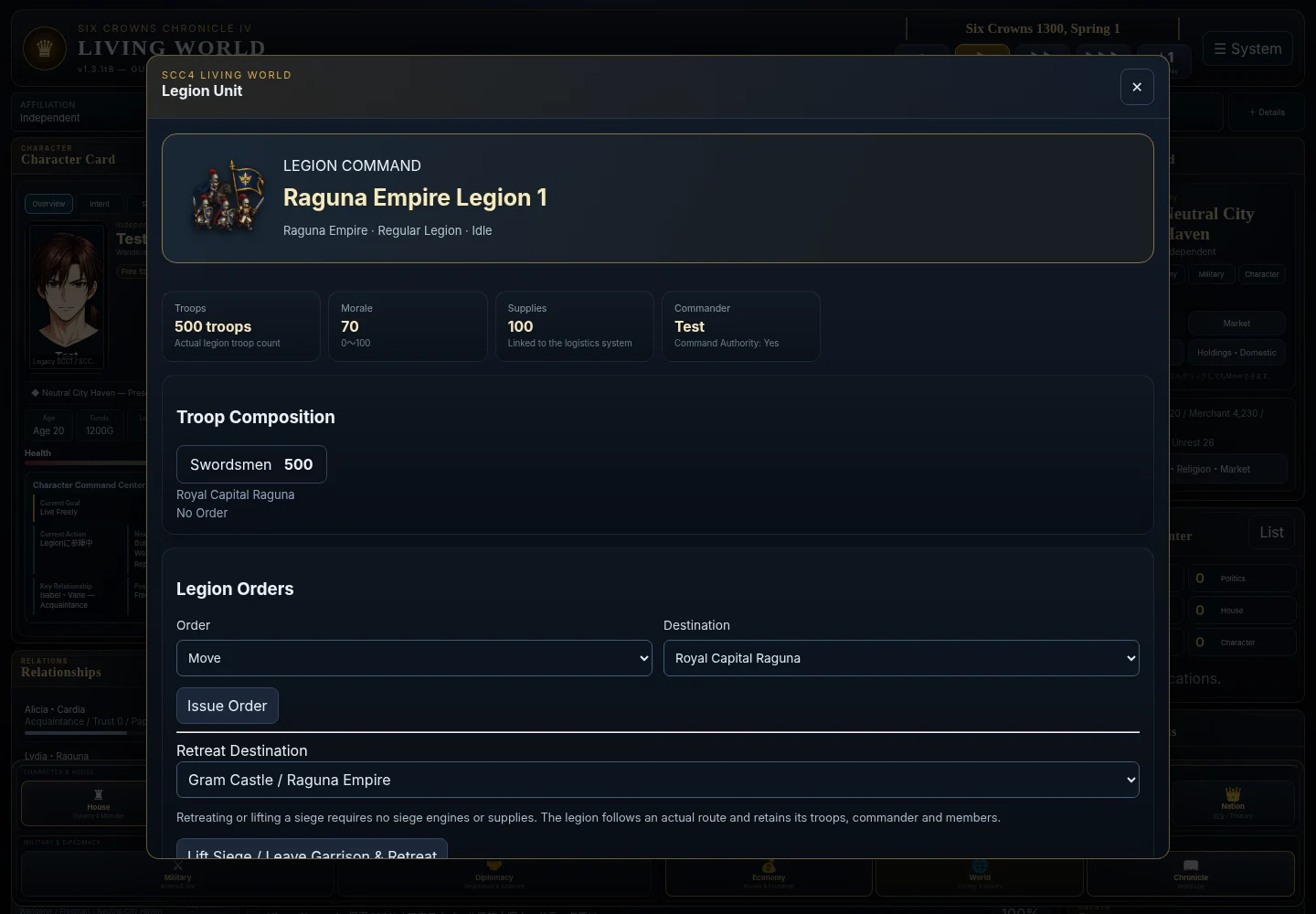
従来の軍事画面から軍団を編成。「軍事 → 軍団ユニット一覧・地図操作」または地図の軍団画像から詳細を開きます。
指揮官または既存の戦略指揮権を持つ人物が、移動・防衛・攻略を命令できます。NPCを選択しただけで、その軍を動かせるわけではありません。
包囲・駐留中は補給0・攻城兵器なしでも撤退を指示できます。軍団は実際の経路を移動。進軍途中は次の拠点へ到着してから新しい撤退命令を出してください。
ENGLISH / 日本語
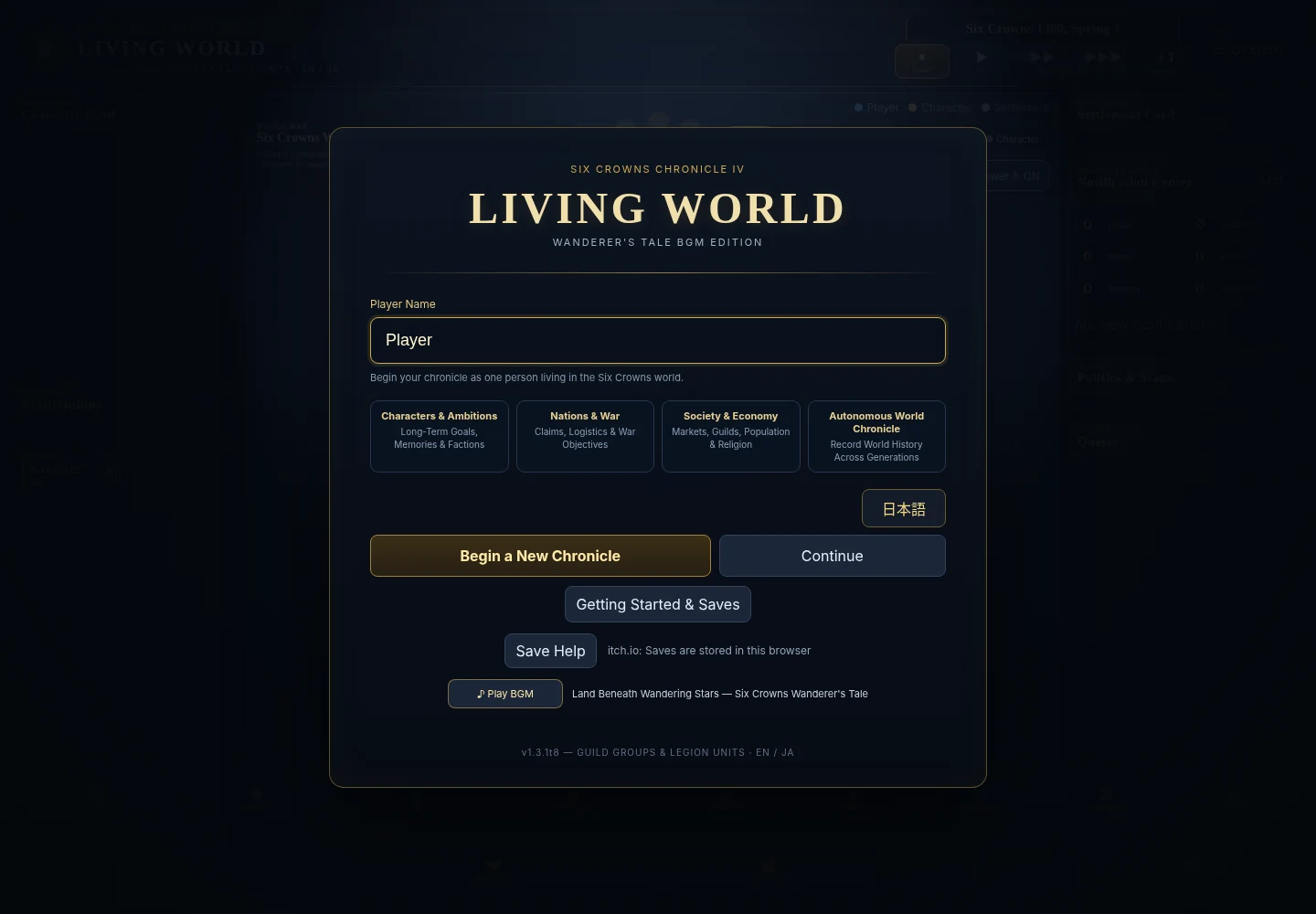
タイトル画面の「English/日本語」またはシステムメニューで切替できます。言語は表示にだけ作用し、人物ID・株数・契約条件を変更しません。
BACK UP YOUR WORLD
既存のアカウント・クラウド保存経路を利用する版です。ゲームのシステムメニューから、保存状態を確認してください。
アカウント不要。端末内3スロットとJSON書き出し/読み込みに対応します。ブラウザの保存領域が利用できる環境で遊んでください。
itch版の保存画面で「Export Current World」は現在ワールドの未圧縮JSON、「Export JSON」は選択スロットを書き出します。上書き・削除・履歴圧縮前に外部へ保管します。
「Import JSON into This Slot」で対応JSONを選び、上書きを確認します。スロットへの保存後に「Load」で再開。ファイル選択だけで現在ワールドを即置換しません。
itch版は端末内3スロットです。ブラウザ設定・空き容量などで保存できない場合はエラーを確認してください。サイト版のクラウドとの自動共有はありません。
QUESTIONS
旧SCC4 LWデータを維持する移行処理を備えていますが、あらゆる実セーブの保証ではありません。元スロットを残し、JSONバックアップ後に別スロットで確認してください。
会社のお金と個人のお金は別です。間接子会社として閲覧できても、個人に経営権がなければ任命・支払はできません。
ブラウザデータ削除や保存領域の制限に備えて、JSONをブラウザ外へ保管してください。保管した対応JSONから指定スロットへ復元します。
できません。SCC4 LWは個人ワールド、SCC LW ONLINEは共有サーバー型の別作品です。DBセーブは互換ではありません。
狭い画面向けの表示調整はありますが、実端末・実ブラウザ・長期ワールドの全条件は未検証です。長期データはこまめに外部バックアップしてください。
SIX CROWNS CHRONICLE IV
For v1.3.1t8 / itch.1. Start with the interface, then explore guilds, stocks, legions, language switching and portable saves.
START HERE
Check age, funds, abilities, status, house and location. A selected NPC is not necessarily the character you control.
Select settlements, people or legions. Zoom and change map modes; read prosperity, security, defenses and local characters on the right.
Open life, domestic affairs, houses, military, diplomacy, economy or chronicle screens. There is no need to learn every system at once.
Pause, play or advance days to observe NPC actions. Pause around important decisions and review the results.
GUILDS & DELEGATION
Economy → merchant guild ledger → establish a new guild. Choose its industry, home and capital. The contribution leaves your personal funds and becomes company cash.
Company details → Businesses & National Contracts. Listed and unlisted companies can open divisions, invest, change the primary business, suspend or resume operations.
Open Guild Group Management from the ledger. Review direct companies and indirect subsidiaries. Corporate cash is not your personal buying power, and simple totals are not consolidated accounts.
Use the business-manager section to choose a person, policy, 30-day budget, approval-free limit and permissions. Review larger or low-trust requests in the group screen.
CROWN EXCHANGE
Use Economy to find the stock market. Company details show prices, valuation, financials, shareholders, dividends and strategy.
Choose market or limit, quantity and duration. Orders may remain open or partially filled. Read the unfilled reason and cancel unwanted orders individually or in bulk.
Gift a chosen quantity or aim for a recipient’s ownership percentage. Meetings and tender offers have ownership, voting, funding and approval conditions.
NATIONAL CONTRACTS
Choose a division, nation, monthly amount and duration. Demand, reputation, budget and war can lead to approval or refusal.
Signing does not pay the entire contract immediately. Thirty-day performance settles payments and costs. Request renewals, price changes or resumption when eligible.
Government contracts are not transferred unconditionally. After reapproval, the next performance is due in thirty days. Refusal does not rewrite earlier payments or current terms.
LEGION UNITS
Use the existing military screen to form a force. Open Military → Legion Units / Map Controls, or click the legion on the map.
Commanders or characters with strategic authority may issue movement, defense and attack orders. Selecting an NPC alone does not grant control of their army.
A besieging or garrisoned legion can withdraw even with zero supplies or no siege engines. It follows a route. If already marching, wait until the next settlement before issuing a new withdrawal order.
ENGLISH / 日本語
Use English / 日本語 on the title screen or the system menu. Language changes affect display, not character IDs, share quantities or contract terms.
BACK UP YOUR WORLD
The website edition retains its account and cloud-save paths. Check the game’s system menu for your save status.
No account required. Three local save slots plus JSON export and import. Play in a browser environment that permits local storage.
In the itch save screen, Export Current World downloads the uncompressed running world; Export JSON downloads a selected slot. Keep a file before overwriting, deleting or compacting.
Select a compatible file with Import JSON into This Slot and confirm replacement. After it is saved to the slot, use Load to resume. Choosing a file does not immediately replace the running world.
The itch edition uses three local slots. Browser settings and available space affect saving. Read any error and keep external JSON backups. Website cloud saves are not shared automatically.
QUESTIONS
Migration paths preserve older SCC4 data, but every real save has not been tested. Keep the original slot and JSON backup, then check a separate slot.
Corporate money and your personal wallet are separate. Viewing an indirect subsidiary does not automatically give you authority to appoint managers or spend its cash.
Keep JSON files outside the browser in case site data is cleared or storage is restricted. Import a compatible backup into a chosen slot to restore it.
No. SCC4 LW is a personal world; SCC LW ONLINE is a separate shared-server game. Their database saves are not interchangeable.
Narrow-screen layouts have been adjusted, but real devices, browsers and large long-running worlds have not all been verified. Keep regular external backups.